Digitizing HR documents: A step-by-step plan
The average HR department manages tens of meters of paper files. Employment contracts, performance review forms, identity documents, absence registrations. All stored in filing cabinets, spread across different locations, sometimes even in old email boxes of former colleagues. This not only creates practical problems such as lack of space and lost documents. It also brings serious risks in the areas of privacy, compliance, and business continuity. One fire, one water damage, or one theft can destroy years of crucial personnel information. The transition to digital HR documents is therefore no longer a luxury, but a necessity. Yet this transition remains a challenge for many organizations. Where do you start? How do you approach it without disrupting daily operations? And how do you ensure that the digital archive doesn’t become just as chaotic as the paper archive?
Why switch to digital now
The benefits of digital personnel files are measurable and immediate. Think about time savings: where you now spend ten minutes searching for a contract in the filing cabinet, you can find it digitally in seconds. Over a year, that saves hundreds of hours of search time. But there’s more. The GDPR sets strict requirements for how you store and protect personal data. A lockable cabinet no longer meets modern security standards. Digital systems offer logging, access control, and encryption, allowing you to much better demonstrate that you’re meeting your duty of care. The cost side also matters. Paper, printing costs, storage space, and the time spent copying and archiving: it runs into thousands of euros per year. A digital system requires an initial investment, but pays for itself within two to three years. And then there’s agility. In a time when hybrid working is the norm, your HR team must be able to access documents from any location. With paper files, you’re bound to the physical location. With a well-organized digital archive, you work location-independently.
Preparation: inventory and clean-up
Before you scan even one document, you need to know what you have. Start with a thorough inventory of all HR documents in your organization. Not just the official personnel files, but also loose documents kept by managers, old administration in basements, and digital files scattered across different drives. This inventory often yields surprises. Documents that have been kept for years while the legal retention period has long passed. Copies of copies. Incomplete files missing crucial pieces. This is the moment to clean up. Look critically at what you really need to keep. For employment contracts, a retention period of two years after the end of employment applies for tax purposes, but often longer for pension purposes. Payroll administration must be kept for seven years. But those notes from an informal conversation from 2015? Those can go in the trash. Pay attention here to the GDPR principles of data minimization and storage limitation. Only keep what’s necessary, and no longer than needed. Destroy unnecessary material in a secure manner, for example by shredding or through a certified destruction company.
Categorizing and structuring
Now that you know what you have and what you need to keep, it’s time for structure. A digital archive is only efficient if you use a logical structure that’s understandable to everyone. Think about your folder structure. Most organizations choose an organization per employee, with subfolders within for each document type: contracts, reviews, training, absence, and so on. Other organizations work with an organization per document type, with employees within. Both can work; choose what fits how your team works. What’s important is that you use a consistent naming convention. For example: “Lastname_Firstname_Documenttype_Date”. So: “Jansen_Piet_EmploymentContract_20230115”. This makes searching and sorting much easier. Also make agreements about version control. How do you handle modified contracts? Do you keep all versions or only the most recent? And how do you mark which version is valid? These agreements prevent confusion and errors later.
For the digitization itself, you need a few things. First, a good scanner. For small volumes, a standard office scanner may suffice, but for larger quantities, investing in a document scanner with automatic feed is wise. These devices can process hundreds of pages per hour and often have built-in text recognition. Text recognition (OCR) converts scanned images into searchable text. This is crucial for the findability of your archive. A PDF that’s only a photo of a document can’t be searched. With text recognition, all text becomes searchable, allowing you to find any contract containing a specific clause within seconds. For storage, you need a document management system or an HR-specific solution. General cloud storage like OneDrive or Google Drive can work for small organizations, but often lacks HR-specific functionality such as automated retention periods, access rights per document type, and audit logs. Specialized HR systems do offer this functionality. They often also integrate with your payroll administration and other HR processes, so documents are automatically linked to the right employee and workflows are automated.
Organizing the scanning process
Now comes the practical work: the actual scanning. This is often the most time-consuming step, so plan it well. Don’t try to do everything at once, but work in phases. Start with active employees and the most-used documents. Old files of people who left years ago can be tackled later or even outsourced to a scanning service. Focus first on what you need daily. Make clear agreements about who scans what. It’s often efficient to schedule one or two people for this during a specific period, rather than having everyone scan a bit in between tasks. This ensures consistency in quality and approach. Pay attention to quality when scanning. Documents must be legible, preferably scanned in color (especially for identity documents and signatures), and in sufficient resolution. 300 DPI is the standard for archiving purposes. Also check immediately after scanning whether everything is clearly legible and whether text recognition has worked correctly. Nothing is more frustrating than discovering after months that a batch of documents was scanned illegibly and you have to start over.
Arranging security and access management
Digital personnel files contain the most privacy-sensitive information your organization manages. Social security numbers, medical data, salary information, reviews. This requires strict security measures. Set access rights based on need-to-know. Not everyone in HR needs access to all files. An HR advisor dealing with recruitment doesn’t need access to medical information or salary data. A payroll administrator doesn’t need to read performance reviews. Ensure logging of who opened or modified which document when. This is important not only for security, but also for GDPR compliance. In case of a request for access, you must be able to demonstrate who has had access to someone’s data. Also make agreements about retention periods and automatic deletion. Many HR systems can automatically delete documents after the legal retention period expires. This prevents you from unnecessarily continuing to store data and helps you stay GDPR-compliant. Don’t forget the backup. Digital doesn’t automatically mean safe. Ensure regular backups in a separate location, preferably according to the 3-2-1 rule: three copies, on two different media, one of which is offsite.
Bringing employees along in the transition
The best systems don’t work if your team doesn’t use them. Therefore, involve your HR colleagues from the beginning in the digitization process. Ask for their input on the folder structure and naming. They work with it daily and know what’s practical. Organize good training before you go live. Not just about how the system works, but also about why you’re digitizing and what the benefits are. People are more inclined to embrace new ways of working if they understand what it delivers. Expect a start-up phase where people regularly fall back on old habits. Someone prints out a contract anyway to put it in a folder. Or saves a document locally instead of in the central system. This is normal. Keep repeating why the new approach is important and celebrate successes. Also appoint a number of ambassadors or super users who can help colleagues with questions. This relieves you as project leader and ensures that knowledge spreads through the team.
From paper to digital-first working
Digitizing existing documents is step one. But the real gain lies in going digital-first: creating and managing new documents digitally from the start, without the detour through paper. This means: drafting and signing contracts digitally. Filling out performance review forms online. Recording absence directly in the system. Receiving and storing course certificates digitally. This prevents you from soon having a pile of paper again that needs to be scanned. Digital signing is a game-changer here. Platforms for electronic signatures are legally binding, safer than a handwritten signature, and much more efficient. A contract can be signed within an hour, instead of days of emailing back and forth or waiting until someone is at the office. Also link your digital archive to other HR processes. When someone gets a new contract, it’s automatically added to their file. During a performance review, the manager has direct access to previous reviews. Upon termination, a process automatically starts to archive documents and delete them after the retention period.
The role of data and insights
A digital archive is more than just storage. It becomes a source of insights. How many contracts expire this quarter? Which employees haven’t completed their mandatory GDPR training yet? Who is due for a new review? You probably answer these questions now by manually going through files. With a good digital system, you see it in one dashboard. This makes HR work proactive instead of reactive. This is also valuable for compliance. During an audit, you can demonstrate within minutes that all employees have a signed contract, that all pay slips are stored according to the legal term, and that access to sensitive data is correctly logged. Platforms like Deepler go a step further by not only managing documents, but also generating insights from the data within them. Which departments have the highest absence rates? Where are patterns in employee turnover? These insights help you move from administrative HR to strategic HR.
Continuous optimization
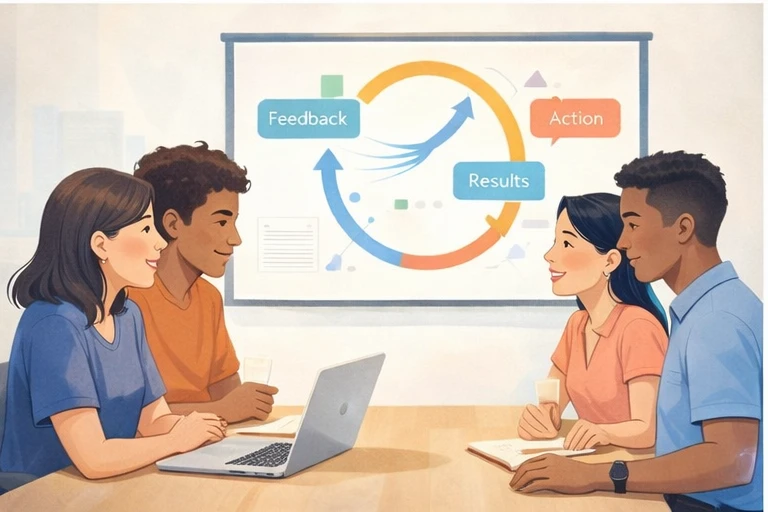
Digitization is not a one-time project, but a continuous process. Your first setup won’t be perfect, and it doesn’t have to be. More important is that you start and improve along the way. Therefore, plan regular evaluation moments. After three months: how is working with the new system going? What’s going well, what can be better? After six months: which processes can we further automate? After a year: what new functionality do we need? Also stay informed about developments in laws and regulations. The GDPR evolves, case law on digital signatures develops, new technologies like AI offer possibilities for automatically categorizing documents. Ensure your system grows along. And don’t forget to celebrate what you’ve achieved. The transition from paper to digital is a major task that impacts your entire organization. When you empty that last filing cabinet and give the space a new purpose, that’s a milestone that deserves recognition. Digitizing HR documents requires investment in time, money, and change. But it delivers a modern, efficient, and secure way of working that makes your HR team future-proof. Start today with the inventory, and within a few months you’ll be working in a paperless HR department where information is always and everywhere available.